
 How to Play
Get up and running in 5 easy steps!
|
1.
Install Java
Forge needs Java 17 or newer to run. You may already have it — to check, open a terminal/command prompt and type: java -version If the version shown is 17 or higher, you're good! If not (or if it says "not found"), download Java from one of these: ▶ adoptium.net (recommended — free, easy installer for Windows/Mac/Linux) ▶ oracle.com (official Oracle JDK) Pick the installer for your OS (Windows .msi, macOS .pkg, or Linux .deb/.rpm) and run it. Just click through the defaults. 2. Download Forge Go to the Forge daily snapshots page on GitHub: ▶ github.com/Card-Forge/forge/releases Scroll down to the "Assets" section (you may need to click it to expand). You'll see several files — here's which one to grab:
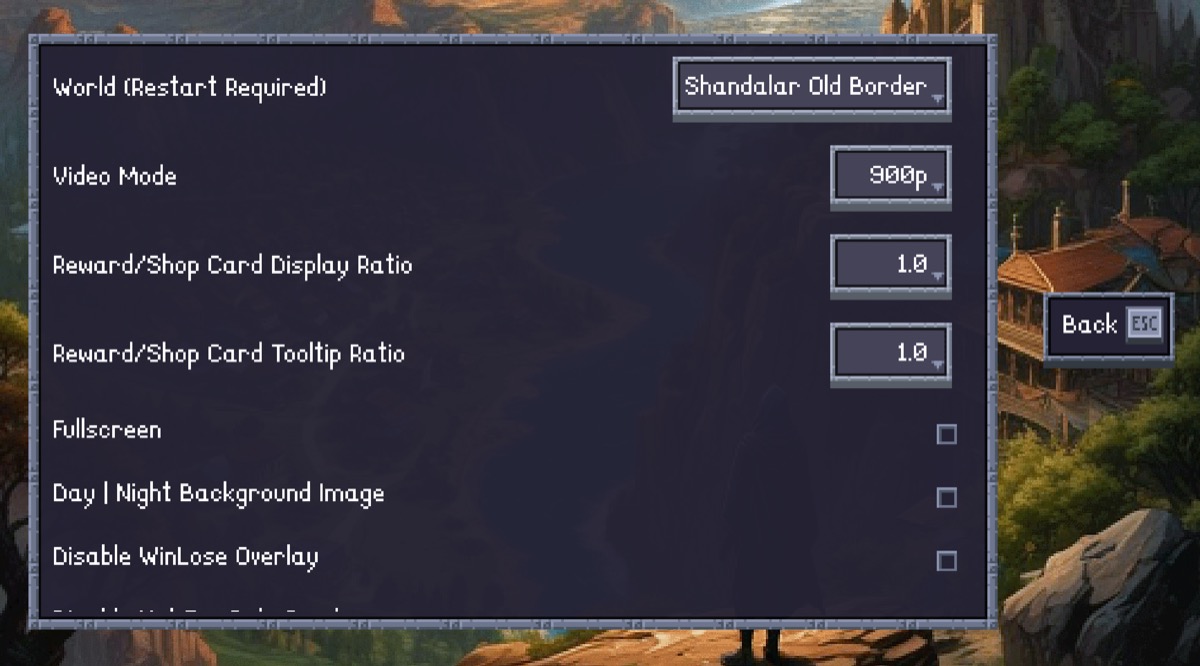
⚠ Ignore the files called assets.zip, build.txt, version.txt, and .tar.bz2 — you don't need those. The file name includes a date (e.g. forge-installer-2.0.12-SNAPSHOT-03.22.jar). That's normal — just grab the latest one. 3. Install & Launch Forge Windows: Double-click the .jar file. If Windows asks "How do you want to open this?", choose Java(TM) Platform SE binary. The Forge installer will open — pick a folder and click Install. Mac: Double-click the .jar file. If macOS blocks it ("unidentified developer"), go to System Settings > Privacy & Security and click "Open Anyway". Alternatively, right-click the file and choose Open. Linux: Open a terminal in the download folder and run: java -jar forge-installer-*.jar After installing, launch Forge from the installed location and select Adventure Mode. 4. Select Old Border Shandalar Go to Settings and select "Shandalar Old Border" as your world. ⚠ IMPORTANT: Make sure "Show all card variants" is switched ON. (If your Forge build is from before 21 Feb 2026, switch it OFF instead.)
5. Start a New Game Choose your color, pick a starter deck, and begin your adventure! We recommend starting a fresh game rather than continuing a vanilla save. 💡 Tip: Fixing New-Border Cards As of the March 19, 2026 snapshot, new-border cards should no longer enter the game. If you're continuing an older save file and have incorrect new-border cards, open the console with F9 and type: sanitize editions This will replace all new-border variants in your collection with the correct old-border versions. 💡 Tip: Fixing Card Images If you see occasional new-border card art, clear your image cache: Windows: C:\Users\<You>\AppData\Local\Forge\Cache\pics\cards macOS: ~/Library/Caches/Forge/pics/cards Delete the contents of this folder and let Forge re-download the correct images. |

Need help? Check the official walkthrough ▶
Last updated: March 23, 2026
This mod was built with <3 on the shoulders of giants (the Forge contributors) and by VigilantSera & RemusLord